good reference here:
http://flakrat.blogspot.com/2010/06/installing-subversion-16-and-trac-012.html
2011/03/07


2011/02/12
Mac: Print screen key
 |  |  | ||
Windows 鍵 | Mac 鍵 | 用途 | ||
|---|---|---|---|---|
Alt | Option | 輸入特殊字元,如 é。 | ||
Control | Command (⌘) | 執行動作或快速鍵。例如,按下 ⌘ + S,通常會儲存文件或檔案。 | ||
Num Lock | Num Lock Shift + Clear | 在某些應用程式中,控制是否按下數字鍵盤的按鍵來輸入數字或移動游標。 | ||
Scoll Lock | Control + F14 | 在某些應用程式中,控制是否按下方向鍵來移動游標或在視窗中捲視。 | ||
Print Screen | ⌘ + Shift + 3 ⌘ + Shift + 4 | 拍攝螢幕照片。⌘ + Shift + 3 會擷取整個螢幕的畫面。⌘ + Shift + 4 會擷取您螢幕所選區域的畫面。 | ||
On Windows 7, use those combo keys:
Shift + Fn + F11: Print Screen
Alt + Shift + Fn + F11: Print Active Window
http://docs.info.apple.com/article.html?path=Mac/10.5/yh/cdb_winkeys.html
2011/02/10
Building HandBrakeCLI for CentOS
Problem with CentOS & other RHEL is that it's packages are updated slowly. Building software like Handbrake needs additional steps.
1. First of all, you need to have the essential development tools:
2. Build Autoconf 2.61 (stock is 2.59) and install to /opt
3. Use the 2.61 version
4. Greb latest source from subversion or download from Handbrake source.
Here we assume you download the tar source:
5. Config & build
GUI version is no supported according to the Handbrake forum. --disable-gtk option will generate CLI build.
it's gonna take awhile depending on your hardware...
6. Install
If no other trouble, you get the success build result. Now install it:
This will copy the build to /usr/local/bin/HandBrakeCLI and now enjoy the work!
Reference:
1. First of all, you need to have the essential development tools:
yum groupinstall "Development Tools" "Development Libraries" \

"X Software Development" "GNOME Software Development"


yum install yasm zlib-devel bzip2-devel \

dbus-glib-devel libgudev1-devel webkitgtk-devel libnotify-devel \

gstreamer-devel gstreamer-plugins-base-devel
2. Build Autoconf 2.61 (stock is 2.59) and install to /opt
wget http://ftp.gnu.org/gnu/autoconf/autoconf-2.61.tar.bz2

tar xjf autoconf-2.61.tar.bz2

cd autoconf-2.61

./configure --prefix=/opt

make

sudo make install
3. Use the 2.61 version
export PATH=/opt/bin:$PATH4. Greb latest source from subversion or download from Handbrake source.
Here we assume you download the tar source:
wget http://handbrake.fr/rotation.php?file=HandBrake-0.9.5.tar.bz2

tar zxvf HandBrake-0.9.5.tar.gz
5. Config & build
GUI version is no supported according to the Handbrake forum. --disable-gtk option will generate CLI build.
cd HandBrake-0.9.5

./configure --disable-gtk --launch
it's gonna take awhile depending on your hardware...
-------------------------------------------------------------------------------
time end: Thu Feb 10 12:57:49 2011
duration: 20 minutes, 2 seconds (1202.42s)
result: SUCCESS
-------------------------------------------------------------------------------
Build is finished!
6. Install
If no other trouble, you get the success build result. Now install it:
cd build

make install
This will copy the build to /usr/local/bin/HandBrakeCLI and now enjoy the work!
HandBrakeCLI --helpReference:
2011/01/14
Snow Leopard - clean up MySQL installation
For whatever reason you need to reinstall/ clean MySQL. Here are the spots:
edit /etc/hostconfig and remove the line MYSQLCOM=-YES-
Launchctl
remove anything found.
sudo rm -rf /usr/local/mysql*

sudo rm -rf /Library/StartupItems/MySQLCOM

sudo rm -rf /Library/PreferencePanes/My*

rm -rf ~/Library/PreferencePanes/My*

sudo rm -rf /Library/Receipts/mysql*

sudo rm -rf /Library/Receipts/MySQLStartupItem.pkg/

sudo rm -rf /var/db/receipts/com.mysql.mysql*

sudo rm -rf /var/db/receipts/com.mysql.mysqlstartup*
edit /etc/hostconfig and remove the line MYSQLCOM=-YES-
Launchctl
launchctl list|grep mysql
remove anything found.
2011/01/07
iphone, 威寶 & APN
威寶APN設定
吃到飽APN: internet
日租APN: vibo
username / password 皆空白
設好後internet tethering才會work.
device: iPhone 3G
iOS: 4.1 Pwnage JB
baseband: 6.15
bootloader: 6.02
吃到飽APN: internet
日租APN: vibo
username / password 皆空白
設好後internet tethering才會work.
device: iPhone 3G
iOS: 4.1 Pwnage JB
baseband: 6.15
bootloader: 6.02
2010/12/29
2011年沒有景氣問題 只有競爭力問題
鴻海集團董事長郭台銘今天表示,2011年台灣有清廉政治和兩岸和平願景,加上有40-50歲受過良好教育的企業家崛起,「2011年沒有景氣問題,只有競爭力問題」。郭台銘並透露,他最近每2周去一次日本「取經」,包括日元升值到80幾元兌1美元,日本企業仍能生存,日本的確有值得師法之處,而台灣與日本就「經濟技術學」來講,有很大的結合空間。
郭台銘表示,對鴻海來說,沒有景氣問題,只有競爭力問題,例如鴻海進入桌上型電腦(DT)領域比較晚,但市占率愈來愈高,由於競爭力加強,網路安全獲得重視,反而讓DT需求上來。而鴻海集團今年營收達3兆元,今年成長幅度6成,明年成長幅度也有信心可以超過「下限」。郭台銘先前接受媒體採訪時,曾經將鴻海未來年成長率目標糾正為15%。
郭台銘今天並未正面答覆景氣、匯率等問題,尤其是匯率部分,郭台銘表示,不管他怎麼說,媒體都會大做文章,因此他不發表意見。
不過針對匯率部分,郭台銘以日元為例,日元對美元升值到80幾元兌1美元,日本企業仍能生存,以往的匯率可視為「環境的保護」,「順境人人會走,只是快或慢的問題,但逆境就看公司能不能生存」,因此明年的關鍵仍在於競爭力。
郭台銘表示,對鴻海來說,沒有景氣問題,只有競爭力問題,例如鴻海進入桌上型電腦(DT)領域比較晚,但市占率愈來愈高,由於競爭力加強,網路安全獲得重視,反而讓DT需求上來。而鴻海集團今年營收達3兆元,今年成長幅度6成,明年成長幅度也有信心可以超過「下限」。郭台銘先前接受媒體採訪時,曾經將鴻海未來年成長率目標糾正為15%。
郭台銘今天並未正面答覆景氣、匯率等問題,尤其是匯率部分,郭台銘表示,不管他怎麼說,媒體都會大做文章,因此他不發表意見。
不過針對匯率部分,郭台銘以日元為例,日元對美元升值到80幾元兌1美元,日本企業仍能生存,以往的匯率可視為「環境的保護」,「順境人人會走,只是快或慢的問題,但逆境就看公司能不能生存」,因此明年的關鍵仍在於競爭力。
2010/11/19
iPhone iPAD tethering
1. JB the iPhone - redsn0w
2. Open Cydia, add the source - http://www.sinfuliphonerepo.com
3. Install MyWi Cracked
4. Open MyWi, set it up so iPhone become a wifi router.
5. wifi iPAD over.
2. Open Cydia, add the source - http://www.sinfuliphonerepo.com
3. Install MyWi Cracked
4. Open MyWi, set it up so iPhone become a wifi router.
5. wifi iPAD over.
訂閱:
文章 (Atom)
Mercury簡易改裝
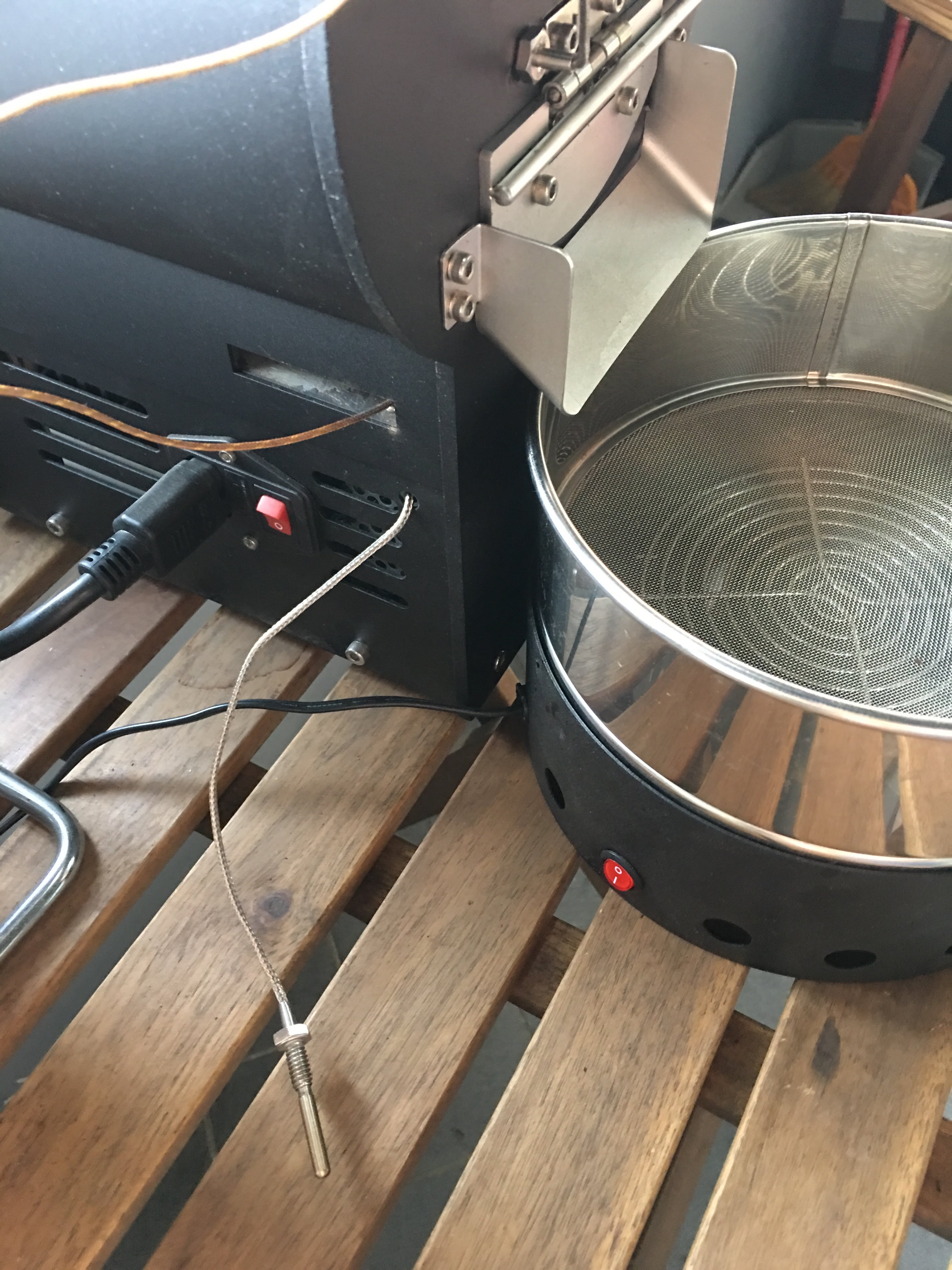
有同好有一樣的困擾 - 如何使用自己的data logging軟體,因此寫了這篇來分享我的簡易改裝。 Background 雲豆子 MERCURY roaster 烘豆機的設計是使用自行開發的軟體,來:1. 操控風門/火力; 2. data logging/自動烘焙。 ...
-
有同好有一樣的困擾 - 如何使用自己的data logging軟體,因此寫了這篇來分享我的簡易改裝。 Background 雲豆子 MERCURY roaster 烘豆機的設計是使用自行開發的軟體,來:1. 操控風門/火力; 2. data logging/自動烘焙。 ...
-
最近這一整個月都在玩大風大火的烘焙。一些心得記錄一下: 2017-09-22 烘豆機: 雲豆子 MERCURY roaster 第1鍋 果丁丁 1 (生豆量:200g,熟豆:171.8g,失重:14.1%) 原本計畫:入豆溫:170 風門一路不變 (MERCURY...
-
 等了非常久的 Mercury 烘豆機 終於到貨了。找了水電來接220V就迫不及待開烘了。 Overall 這是一台CP值非常高的機器,可以說是目前(2017年5月)最接近貴森森營業機種的縮小版。 一應鉅全:有下豆槽,小型化的的風門,銀皮收集桶,跟風管。 ...

