冠宸食館位於台北市陽明山竹子湖路67號 - 讚
http://www.wretch.cc/blog/htm550/9890626
Google search on related:
http://www.google.com/search?hl=en&newwindow=1&client=firefox-a&rls=org.mozilla:en-US:official&hs=gGF&q=%E7%AB%B9%E5%AD%90%E6%B9%96+%E5%9C%9F%E9%9B%9E&start=10&sa=N
2008/12/29


2008/12/22
Beryl - change what u think about Linux UI
Beryl is an OpenGL accelerated desktop that seeks to provide a free, open source desktop experience to the community that reflects the wishes of the users. Above all else, the project seeks to listen to and respond to the requests of the user base...
Windows Vista (Aero) Vs Linux Ubuntu (Beryl) - The funniest videos are a click away
Installing Beryl On A CentOS 5.0 Desktop: http://www.howtoforge.com/beryl_centos5.0
Windows Vista (Aero) Vs Linux Ubuntu (Beryl) - The funniest videos are a click away
Installing Beryl On A CentOS 5.0 Desktop: http://www.howtoforge.com/beryl_centos5.0
Mount new disk on CentOS
1. Check what is the new hard disk device name with "fdisk -l", it should be something like /dev/sda. You can easily identify which is the new drive by running "mount" and finding the drive that exists in "fdisk -l" but is not mounted.
2. Create a partition on the new drive, (the sample code below assume the disk is /dev/sdd)
3. Create a filesystem on the new partition, we use ext3 file system.
4. Create a directory named whatever you like, this will be where you mount the new disk
5. Edit /etc/fstab an add a record for the new drive at the end of the file. This will make the server mount the drive automatically after reboot. Mount options (like noatime and nodiratime) can be added as a comma separated list of values after "defaults": "defaults,noatime,nodiratime"
Linux records information about when files were created and last modified as well as when it was last accessed. There is a cost associated with recording the last access time. Linux has a special mount option for file systems called
Mount the drive. "mount -a" just mounts everything according to /etc/fstab.
Reboot to make sure it starts ok with the new drive mounted.
mount; fdisk -l2. Create a partition on the new drive, (the sample code below assume the disk is /dev/sdd)
fdisk /dev/sdd3. Create a filesystem on the new partition, we use ext3 file system.
mkfs.ext3 /dev/sdd4. Create a directory named whatever you like, this will be where you mount the new disk
mkdir /backup5. Edit /etc/fstab an add a record for the new drive at the end of the file. This will make the server mount the drive automatically after reboot. Mount options (like noatime and nodiratime) can be added as a comma separated list of values after "defaults": "defaults,noatime,nodiratime"
echo "/dev/sdd /backup ext3 defaults 0 0" >> /etc/fstabLinux records information about when files were created and last modified as well as when it was last accessed. There is a cost associated with recording the last access time. Linux has a special mount option for file systems called
noatime that can be added to each line that addresses one file system in the /etc/fstab file. If a file system has been mounted with this option, reading accesses to the file system will no longer result in an update to the atime information associated with the file. The importance of the noatime setting is that it eliminates the need by the system to make writes to the file system for files which are simply being read. Since writes can be somewhat expensive, this can result in measurable performance gains.nodiratime does the same thing but for directories. I know the beginners guide says to use both mount options on file systems, but from others I've talked to and places I've read it seems noatime implies nodiratime because noatime is a superset and nodiratime is a subset used specifically to disable it for directories but leave it on for files, and when you use noatime, it does it for everything, files/dirsecho "/dev/sdd /backup ext3 rw,noatime,nodiratime 0 0" >> /etc/fstabMount the drive. "mount -a" just mounts everything according to /etc/fstab.
mount -aReboot to make sure it starts ok with the new drive mounted.
2008/12/20
MonoDevelop 1.91 on Cent OS
Last post we installed Mono 2.x run time. Here we will get MonoDevelop install on GNOME, for development environment.
First, here are the related software. You should have most of them when installing the run-time:
Now, we need make the required environment variables while we're building the IDE, as well in its run-time. So let's make it into shellscript called env.sh (or whatever you like it).
Now we are ready to build MonoDevelop from tarball source. The following packages are the minimum software needed - we will build them one-by-one:
gtk-sharp
Mono.Addins
Monodoc
Mono Tools
MonoDevelop
You should now able to start up MonoDevelop in GNOME, enjoy.
First, here are the related software. You should have most of them when installing the run-time:
yum install glib2-devel pango-devel gtk2-devel glade2-devel libgnome-devel \

gnome-desktop-devel gnome-panel-devel libgnomeprintui22-devel  \

gtksourceview-devel ruby ruby-rdoc gtkhtml38-devel wget
Now, we need make the required environment variables while we're building the IDE, as well in its run-time. So let's make it into shellscript called env.sh (or whatever you like it).
echo 'PATH="/opt/mono/bin:$PATH"' /opt/mono/env.sh

echo 'export PKG_CONFIG_PATH=/opt/mono/lib/pkgconfig' >> /opt/mono/env.sh

echo 'export LD_LIBRARY_PATH=/opt/mono/lib' >> /opt/mono/env.sh

echo 'source /opt/mono/env.sh' >> /opt/mono/env.sh


chmod +x /opt/mono/env.sh
Now we are ready to build MonoDevelop from tarball source. The following packages are the minimum software needed - we will build them one-by-one:
gtk-sharp
cd ~/

wget http://ftp.novell.com/pub/mono/sources/gtk-sharp212/gtk-sharp-2.12.5.tar.bz2

tar xjf gtk-sharp-2.12.5.tar.bz2

cd ./gtk-sharp-2.12.5

./configure --prefix=/opt/mono

make;make install
Mono.Addins
wget http://ftp.novell.com/pub/mono/sources/mono-addins/mono-addins-0.3.1.tar.bz2

cd ./mono-addins-0.3.1

./configure --prefix=/opt/mono

make;make install
Monodoc
wget http://ftp.novell.com/pub/mono/sources/monodoc/monodoc-2.0.zip

unzip monodoc-2.0.zip

cd ./monodoc-2.0

./configure --prefix=/opt/mono

make;make install
Mono Tools
wget http://ftp.novell.com/pub/mono/sources/mono-tools/mono-tools-2.0.tar.bz2

tar jfxv mono-tools-2.0.tar.bz2

cd ./mono-tools-2.0

./configure --prefix=/opt/mono

make;make install
MonoDevelop
wget http://ftp.novell.com/pub/mono/sources/monodevelop/monodevelop-1.9.1.tar.bz2

tar jfxv monodevelop-1.9.1.tar.bz2

cd ./monodevelop-1.9.1

./configure --prefix=/opt/mono

make;make install
You should now able to start up MonoDevelop in GNOME, enjoy.
2008/12/17
Mono 2.x on CentOS 5
Mono no longer packages for Red Hat distribution but still provide sources. Here we will grab the source code, and install manually on a Cent OS 5.2 box.
First off, make sure you have all the development tools installed:
Pre-Software requirement
At this time, Mono 2.0.1 is the latest. You can always check for new build at http://ftp.novell.com/pub/mono/sources-stable/
Getting all the needed Mono software
Unlike many other tutorials, we will install using "Java" style - the version # is included:
Let's make a desult symlink:,
This is needed when building xsp:
Now we are ready to compile:
You should now have mod_mono.so in /usr/lib/httpd/modules. Also you should have mod_server in /opt/mono/bin.
You directories should look like those:
Directory contents are as follows:
Restart web server
Make a simple test file named default.aspx:
If you see that message at http://localhost/default.aspx, congrad, there you have it!
First off, make sure you have all the development tools installed:
Pre-Software requirement
yum groupinstall "Development Tools"

yum install httpd build-essential gcc bzip bison pkgconfig glib-devel \

glib2-devel httpd-devel libpng-devel libX11-devel freetype fontconfig \

pango-devel ruby ruby-rdoc gtkhtml38-devel wget
At this time, Mono 2.0.1 is the latest. You can always check for new build at http://ftp.novell.com/pub/mono/sources-stable/
Getting all the needed Mono software
cd /root

wget http://ftp.novell.com/pub/mono/sources/mono/mono-2.0.1.tar.bz2

wget http://ftp.novell.com/pub/mono/sources/xsp/xsp-2.0.tar.bz2

wget http://ftp.novell.com/pub/mono/sources/mod_mono/mod_mono-2.0.tar.bz2

wget http://ftp.novell.com/pub/mono/sources/libgdiplus/libgdiplus-2.0.tar.bz2
Unlike many other tutorials, we will install using "Java" style - the version # is included:
mkdir /opt/mono-2.0.1
Let's make a desult symlink:,
ln -s /opt/mono-2.0.1 /opt/mono
This is needed when building xsp:
export PKG_CONFIG_PATH=/usr/lib/pkgconfig/:/opt/mono/lib/pkgconfig/:/usr/lib/
export PATH=/opt/mono/bin:$PATH
Now we are ready to compile:
tar jvfx mono-2.0.1.tar.bz2cd mono-2.0.1
./configure --prefix=/opt/mono-2.0.1
make; make install
tar jvfx xsp-2.0.tar.bz2cd ~/xsp-2.0
./configure --prefix=/opt/mono
make; make install
tar jvfx mod_mono-2.0.tar.bz2cd ~/mod_mono-2.0
./configure --prefix=/opt/mono --with-mono-prefix=/opt/mono --with-apr-config=/usr/lib/httpd/modules
make; make install
tar jvfx libgdiplus-2.0.tar.bz2
cd ~/libgdiplus-2.0

./configure

make; make install
You should now have mod_mono.so in /usr/lib/httpd/modules. Also you should have mod_server in /opt/mono/bin.
You directories should look like those:
Directory contents are as follows:
ls /opt/mono/bin/al mono-api-info al2 mono-api-info2 asp-state monodis asp-state2 mono-find-provides caspol mono-find-requires cert2spc monograph certmgr monolinker chktrust monop cilc monop2 dbsessmgr mono-service dbsessmgr2 mono-service2 disco mono-shlib-cop dtd2rng mono-test-install dtd2xsd mono-xmltool fastcgi-mono-server mozroots fastcgi-mono-server2 nunit-console gacutil nunit-console2 genxs pedump gmcs permview httpcfg prj2make ilasm resgen ilasm2 resgen2 installvst secutil jay setreg macpack sgen makecert signcode mbas smcs mconfig sn mcs soapsuds mjs sqlsharp mkbundle wsdl mkbundle2 wsdl2 mod-mono-server xbuild mod-mono-server2 xsd mono xsp mono-api-diff xsp2ls /opt/mono/lib/
libgdiplus.a             libmono-profiler-aot.so.0
libgdiplus.la            libmono-profiler-aot.so.0.0.0
libgdiplus.so            libmono-profiler-cov.a
libgdiplus.so.0          libmono-profiler-cov.la
libgdiplus.so.0.0.0      libmono-profiler-cov.so
libikvm-native.a         libmono-profiler-cov.so.0
libikvm-native.la        libmono-profiler-cov.so.0.0.0
libikvm-native.so        libmono.so
libmono.a                libmono.so.0
libmono.la               libmono.so.0.0.0
libMonoPosixHelper.a     libMonoSupportW.a
libMonoPosixHelper.la    libMonoSupportW.la
libMonoPosixHelper.so    libMonoSupportW.so
libmono-profiler-aot.a   mono
libmono-profiler-aot.la  pkgconfig
libmono-profiler-aot.so  xsp
ls /usr/lib/httpd/modules/
libphp5.so              mod_file_cache.so
mod_actions.so          mod_filter.so
mod_alias.so            mod_headers.so
mod_asis.so             mod_ident.so
mod_auth_basic.so       mod_imagemap.so
mod_auth_digest.so      mod_include.so
mod_authn_alias.so      mod_info.so
mod_authn_anon.so       mod_ldap.so
mod_authn_dbd.so        mod_log_config.so
mod_authn_dbm.so        mod_log_forensic.so
mod_authn_default.so    mod_logio.so
mod_authn_file.so       mod_mem_cache.so
mod_authnz_ldap.so      mod_mime_magic.so
mod_authz_dbm.so        mod_mime.so
mod_authz_default.so    mod_mono.so
mod_authz_groupfile.so  mod_mono.so.0.0.0
mod_authz_host.so       mod_negotiation.so
mod_authz_owner.so      mod_proxy_ajp.so
mod_authz_user.so       mod_proxy_balancer.so
mod_autoindex.so        mod_proxy_connect.so
mod_cache.so            mod_proxy_ftp.so
mod_cern_meta.so        mod_proxy_http.so
mod_cgid.so             mod_proxy.so
mod_cgi.so              mod_rewrite.so
mod_dav_fs.so           mod_setenvif.so
mod_dav.so              mod_speling.so
mod_dbd.so              mod_status.so
mod_deflate.so          mod_suexec.so
mod_dir.so              mod_unique_id.so
mod_disk_cache.so       mod_userdir.so
mod_dumpio.so           mod_usertrack.so
mod_env.so              mod_version.so
mod_expires.so          mod_vhost_alias.so
mod_ext_filter.so
And the mod_mono config file should be like this:
ls /etc/httpd/conf/mod_mono.conf

vi /etc/httpd/conf/mod_mono.conf<ifmodule> LoadModule mono_module /usr/lib/httpd/modules/mod_mono.so AddType application/x-asp-net .aspx AddType application/x-asp-net .asmx AddType application/x-asp-net .ashx AddType application/x-asp-net .asax AddType application/x-asp-net .ascx AddType application/x-asp-net .soap AddType application/x-asp-net .rem AddType application/x-asp-net .axd AddType application/x-asp-net .cs AddType application/x-asp-net .config AddType application/x-asp-net .Config AddType application/x-asp-net .dll DirectoryIndex index.aspx DirectoryIndex Default.aspx DirectoryIndex default.aspx </ifmodule>Let's move it to CentOS style:
mv /etc/httpd/conf/mod_mono.conf /etc/httpd/conf.d/mod_mono.conf
Restart web server
service httpd restart
Make a simple test file named default.aspx:
<%Response.Write("mono on centos - it works");%>If you see that message at http://localhost/default.aspx, congrad, there you have it!
2008/11/25
矽谷的未來 - 邱鴻安 @世界日報
世上有不少地方都想成為新矽谷─波士頓、西雅圖、奧斯汀、北卡州的「科研三角」、中國的蘇州以及印度的班加羅爾;但是矽谷依然無可替代,依然是科技之都。那麼,矽谷靠的是什麼?是什麼特點使矽谷成為矽谷?
關於矽谷的創立,其中的一種說法,是創於1957年─八名年輕工程師在這一年設立早期的晶片公司「快捷半導體」。1960年代和1970年代的矽谷,半導體公司到處都是,在半導體之前,矽谷到處仍是果園。之後,是電腦軟硬體的公司,接著是網路公司,然後是新形式的網路資訊,例如社交網站 Facebook和播放短片的YouTube。矽谷最新的發展是綠色科技:太陽能電池和金屬板、以及插電式的油電車。從這種發展過程可以看出,科技是矽谷的核心,而持續創新則是它的成功之道。
「創新」雖是眾所周知的說法,但實行起來卻很困難,否則其他地方早就可以追上矽谷。那麼,在持續創新的精神下,矽谷會有些什麼勝過其他地方的特點?
其中一個別處所無的特點是對創業主意的重視,而對創業主意的重視,則可見於矽谷願意就創業主意進行投資,把風險和成本的考慮,視為次要因素。這種敢於冒險投資、不怕失敗的精神,就是矽谷特有的文化。
社交網站Facebook的創辦人馬克‧查克柏格 (Mark Zuckerberg)是哈佛的輟學生,他在想出社交網站的主意後,就像其他夢想創業的東岸人一樣,沒有留在希望成為新矽谷的波士頓發展,卻西來矽谷找機會;果然,他在這裏找到風險投資家彼德‧菲爾 (Peter Thiel),菲爾投資50萬元給他,因此Facebook.com就在2004年成立。2007年10月,微軟出資2億4000萬元購買 Facebook的1.6%股權,這表示Facebook的市值已增至150億元。
對於矽谷特有的冒險創新精神,Google執行長施密特(Eric Schmidt)說得最徹底。去年是矽谷創谷50年,矽谷各大企業的主管紛紛對矽谷的未來發表意見,施密特的說法是:「如果你相信自己的創業主意,那麼財務之事,自會慢慢水到渠成。」
施密特的主張創新,並不只限於科技,還在於管理和經濟,甚至在於政治。他管理Google,讓員工在上班時有20%的「自用時間」,這兩成的自用時間,當然不是用來埋頭幹活的,而是用來進行自訂項目的創新時間。
施密特對清潔能源甚有熱情,他認為美國和全球可以放棄石油,代之以清潔能源 (太陽能、風力發電、電池等),發展清潔能源可創造大量就業機會,並且為美國經濟開出一番新天地。他的其中一個目標是:在20年內,插掣充電式的油電車可占到美國整體汽車的50%。施密特的創新觀念,還用到政治上。他在英國金融時報撰文,指歐巴瑪思想創新,是推行開發清潔能源、開創新時代的理想人選。
總之,創新就是這個世界的一切法則,不獨是矽谷的未來,而且還是經濟、政治賴以成功的要素。
關於矽谷的創立,其中的一種說法,是創於1957年─八名年輕工程師在這一年設立早期的晶片公司「快捷半導體」。1960年代和1970年代的矽谷,半導體公司到處都是,在半導體之前,矽谷到處仍是果園。之後,是電腦軟硬體的公司,接著是網路公司,然後是新形式的網路資訊,例如社交網站 Facebook和播放短片的YouTube。矽谷最新的發展是綠色科技:太陽能電池和金屬板、以及插電式的油電車。從這種發展過程可以看出,科技是矽谷的核心,而持續創新則是它的成功之道。
「創新」雖是眾所周知的說法,但實行起來卻很困難,否則其他地方早就可以追上矽谷。那麼,在持續創新的精神下,矽谷會有些什麼勝過其他地方的特點?
其中一個別處所無的特點是對創業主意的重視,而對創業主意的重視,則可見於矽谷願意就創業主意進行投資,把風險和成本的考慮,視為次要因素。這種敢於冒險投資、不怕失敗的精神,就是矽谷特有的文化。
社交網站Facebook的創辦人馬克‧查克柏格 (Mark Zuckerberg)是哈佛的輟學生,他在想出社交網站的主意後,就像其他夢想創業的東岸人一樣,沒有留在希望成為新矽谷的波士頓發展,卻西來矽谷找機會;果然,他在這裏找到風險投資家彼德‧菲爾 (Peter Thiel),菲爾投資50萬元給他,因此Facebook.com就在2004年成立。2007年10月,微軟出資2億4000萬元購買 Facebook的1.6%股權,這表示Facebook的市值已增至150億元。
對於矽谷特有的冒險創新精神,Google執行長施密特(Eric Schmidt)說得最徹底。去年是矽谷創谷50年,矽谷各大企業的主管紛紛對矽谷的未來發表意見,施密特的說法是:「如果你相信自己的創業主意,那麼財務之事,自會慢慢水到渠成。」
施密特的主張創新,並不只限於科技,還在於管理和經濟,甚至在於政治。他管理Google,讓員工在上班時有20%的「自用時間」,這兩成的自用時間,當然不是用來埋頭幹活的,而是用來進行自訂項目的創新時間。
施密特對清潔能源甚有熱情,他認為美國和全球可以放棄石油,代之以清潔能源 (太陽能、風力發電、電池等),發展清潔能源可創造大量就業機會,並且為美國經濟開出一番新天地。他的其中一個目標是:在20年內,插掣充電式的油電車可占到美國整體汽車的50%。施密特的創新觀念,還用到政治上。他在英國金融時報撰文,指歐巴瑪思想創新,是推行開發清潔能源、開創新時代的理想人選。
總之,創新就是這個世界的一切法則,不獨是矽谷的未來,而且還是經濟、政治賴以成功的要素。
訂閱:
文章 (Atom)
Mercury簡易改裝
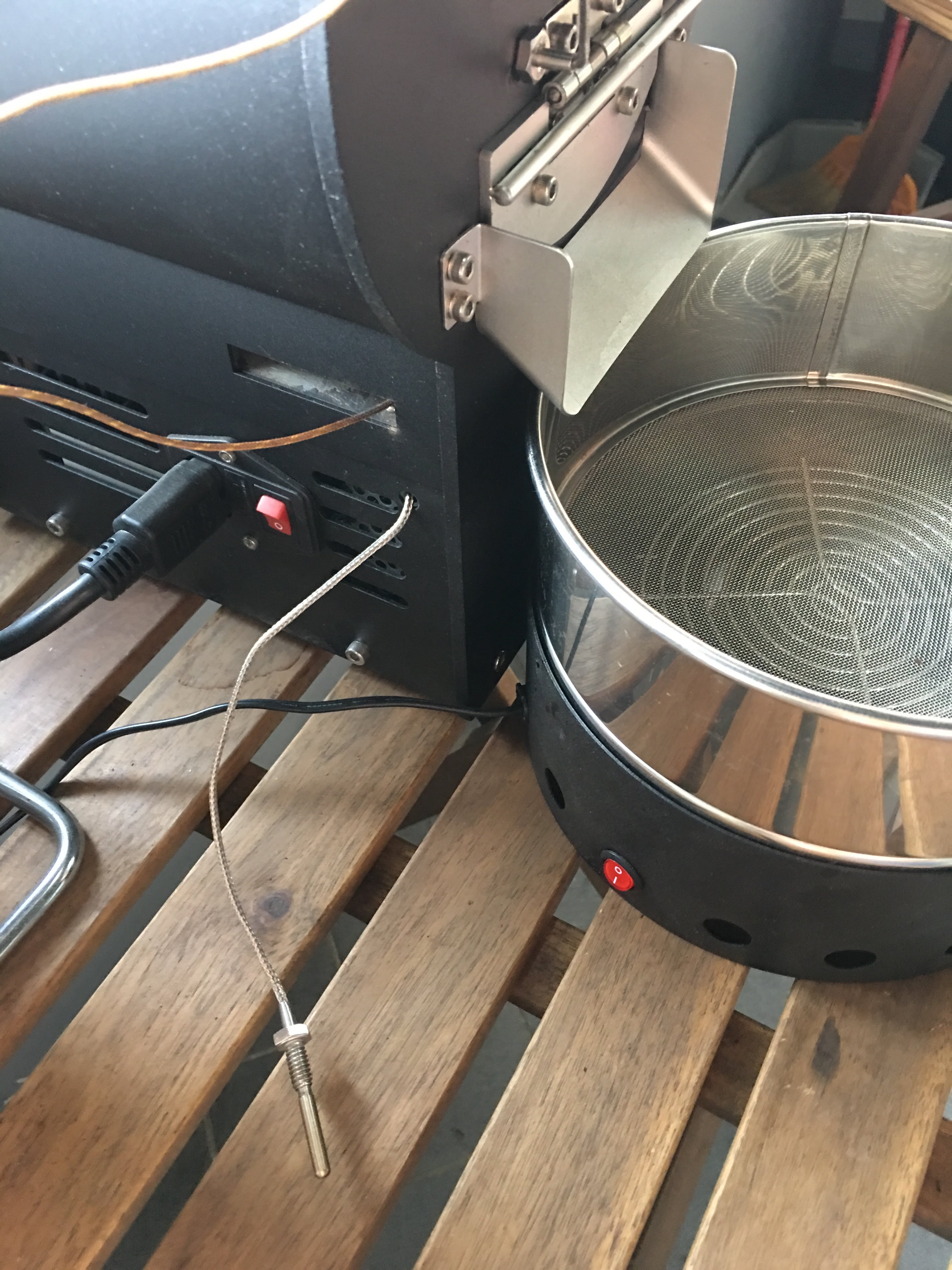
有同好有一樣的困擾 - 如何使用自己的data logging軟體,因此寫了這篇來分享我的簡易改裝。 Background 雲豆子 MERCURY roaster 烘豆機的設計是使用自行開發的軟體,來:1. 操控風門/火力; 2. data logging/自動烘焙。 ...
-
有同好有一樣的困擾 - 如何使用自己的data logging軟體,因此寫了這篇來分享我的簡易改裝。 Background 雲豆子 MERCURY roaster 烘豆機的設計是使用自行開發的軟體,來:1. 操控風門/火力; 2. data logging/自動烘焙。 ...
-
最近這一整個月都在玩大風大火的烘焙。一些心得記錄一下: 2017-09-22 烘豆機: 雲豆子 MERCURY roaster 第1鍋 果丁丁 1 (生豆量:200g,熟豆:171.8g,失重:14.1%) 原本計畫:入豆溫:170 風門一路不變 (MERCURY...
-
 等了非常久的 Mercury 烘豆機 終於到貨了。找了水電來接220V就迫不及待開烘了。 Overall 這是一台CP值非常高的機器,可以說是目前(2017年5月)最接近貴森森營業機種的縮小版。 一應鉅全:有下豆槽,小型化的的風門,銀皮收集桶,跟風管。 ...

