http://mag.udn.com/mag/newsstand/storypage.jsp?f_MAIN_ID=253&f_SUB_ID=1312&f_ART_ID=136624
網路標會 穩賺?那可不一定!
‧理財周刊 2008/07/16
標會是民眾理財方式之一,隨著時代與科技進步,現在不但上網就可以跟會,被倒會還有銀行會負責。不過,網路標會一定好嗎?看完本文再作決定。
【撰文/徐介凡】
全球股市表現不佳,不少基金族在這波下跌過程中遭到套牢,27歲在設計公司上班的林文勇(化名)便是其中之一,透過每月定期定額扣款5000元,打算以強迫儲蓄累積一筆出國留學經費,若能賺進更多的投資報酬,便留作購屋頭期款之用,因此,儘管目前持有的幾檔基金少說賠了20%,但這筆資金並不急著用,所以就耐心等著未來景氣好轉、投資轉虧為盈的一天到來。
會腳上網輕鬆找
「之前買的基金現在賠那麼多,如果繼續加碼買進,萬一到最後全部賠光該怎麼辦?」林文勇雖然明白投資要持續的重要,卻無法拿定主意到底該選擇什麼商品;一方面因為目前投資正在賠錢,一朝被蛇咬,始終無法安心的持續扣款投資基金;另外,國內正處通膨嚴重的情況下,6月份更是來到4.9%的高峰,他發現與台灣銀行1年期牌告定存的固定利率2.735%相較,實質存款利率是將近2.2%的負數,若把錢放在銀行會越存越薄。
這時他注意到永豐銀行新推出網路標會的理財工具,而憑自己過去對標會的印象,一般來說都有約10%左右不錯的收益,在投資氣氛不佳的此時,似乎會是一個還不錯的選擇。
倒會銀行做擔保
過去可選擇的投資商品不多,標會結合借款紓困以及儲蓄理財兩項功能,成為當時民眾主要投資工具之一,會腳(參加標會者)多半是熟識的親友或同事所組成,之所以逐漸沒落,主要原因在於,若有任何成員發生倒會的情況,不僅參與所投入的資金會血本無歸,更將造成人際關係的嚴重決裂。另外,理財商品近年來朝向越來越多元化發展,即便買不起股票,也能以門檻較低卻有同樣投資效果的基金進場,因此,林文勇對這個網路標會的新商品,與一般傳統標會到底有什麼差異,感到相當好奇。
永豐銀行信貸部經理高國興表示:「現在民眾上網的習慣非常普遍,而使用網路銀行進行買賣基金的操作,也已廣被使用,因此透過網路結合標會的作法,可望解決過去會腳難尋的問題。」雖然會員來自全國各地,彼此之間更是毫無互信基礎存在,但銀行會依照每人個別的條件,審核是否可成為標會成員之一;此外過程中只要有任何人產生倒會情況,銀行就會負起擔保責任,支付每期應繳會錢至到期為止,排除過去傳統標會最大問題所在。
比傳統標會更有彈性
「有銀行提供投資保障,讓人比較放心參加。」林文勇先上網填寫申請資料成為網路會員,打算了解詳細內容後再決定是否要參加,他發現這個網路標會的工具每期會錢可分作5000元、1萬元、2萬元與3萬元4種,最低底標依會錢大小從300元至800元都有,期數可自由以1、2、3年搭配,比起傳統標會更具彈性。另外,由於銀行承擔倒會風險,因此針對期數不同分別於得標時收取1.5%、2%、2.5%的管理費用。
經過細算之後發現,假設依據平時的儲蓄習慣,跟了個1年期、每期會錢5000元的會,由於底標金額300元為保障之利息收入,換算年利率為6%,即便扣除1.5%管理費,若存滿1年於最後得標時,報酬率至少有3.5%以上,比起定存要好,因此他便決定要參加。
過了3天,銀行客服人員打電話來確認資料,並詢問一些平時的收支情況後,便依照信用條件給了林文勇36萬元額度,以及1組上網登錄使用的標會密碼,而他也進入銀行建立的「標會大廳」平台,瀏覽每個不同會期與金額且正在募集中的標會,並依照每個人參加目的與需求的不同,從中選出1個時間共12期、每期會錢 5000元的會參與,就在所有程序都完成、標會順利進行之後,他才猛然驚覺自己忽略了一些問題。
衡量收支運用標會額度
參加網路標會跟傳統標會相同,競標過程有最低底標限制,若遇到出價相同或無人投標,便由電腦隨機挑選,按照底標金額出價成為當期得標人。
高國興表示,投資人在填寫資金用途時,務必提供正確訊息,讓有意參加的人能夠了解每個人的需求,藉以掌握不同時間,做出最合適的投標規劃。舉例來說,標會是在參加者資金需求越大時,透過付出更高競標成本之下產生越多獲利,如果跟了一個大家都不需要錢的會,便難以擁有更高的利息收入。另外,起會的會頭必定是有資金需求在,但若是其他參加者全部都是為儲蓄而來,能否成為最後1期的最大獲利者,便得靠運氣決定。
銀行所給予的標會額度,高國興說:「會根據一般信貸的標準進行審核後決定,例如從事行業與所得高低、過去信用與消費情形,以及每月收支狀況等。」以林文勇 36萬元額度來看,可以選擇3個12期、每期會錢1萬元的會參加,或者是1個12期、每期會錢3萬元的會,但必須依照自己每月實際能夠支付的會費,以及平時管理帳戶的習慣,選擇合適自己的標會參加,避免發生遲繳而由銀行墊付的情況,額外增加1%的墊付費用支出。
當心存錢變借錢
中國信託商銀個人金融處處長隋榮欣進一步指出:「標會這種投資方式之所以會逐漸沒落,期數過半以後才開始獲利是相當重要的因素。」如果把錢放在銀行定存,只要時間超過1個月以上,提前贖回雖然利息會被打折,但仍有利息收入存在,就算是被套牢的基金,認賠賣出也還能將剩餘資金贖回;標會卻不一樣,結合借貸與存款兩方面之下,若是提早把錢標到手拿回來,不但本來想賺的利息收入沒了,還有可能反過頭來變成借貸成本,增加支出。
以林文勇所跟的會而言,隋榮欣說:「若他在最理想的狀況下,於最後1期順利得標,投資報酬率約為3.5%,根據現在的投資商品來看,換成保守型投資的債券型基金,或是固定收益的外幣定存,多半都能達到這個數字;重點在於如果提前得標的話,那麼投資收益可能便不如其他選擇來得好。」
如果林文勇真的在第1期就得標,高國興表示,永豐銀行將有專業的理財人員,提供理財諮詢服務與建議,讓他能透過投資合適的理財商品,把必須支付的利息給賺回來,並且進一步創造獲利。也就是說,首先要考量該如何把這筆錢用來產生7.5%的報酬率,才能達到損益兩平的投資效果。
考量損益 三思而後行
隋榮欣認為:「若以對應的工具來看,雖然投資股票型基金可能最有機會,但是投資報酬與風險往往等價,同樣有賠7.5%的可能存在。」在目前全球股市表現不佳的情況下,想找一個年報酬率能夠達到7.5%的投資工具已非易事,即便是不保本的連動債,或是單一國家型基金,現在都很難達到這個數字,萬一不幸發生 7.5%的投資虧損,投資損失合計其實是15%,因此進場操作前,多在各種投資工具間進行比較,才是較為恰當的作法。
利息收入要繳稅
當標會順利開始進行之後,不論是已經把錢標到手的死會,還是仍在等待賺取利息的活會,高國興說:「參加者都不能在中途退出,必須等到會期結束以後才會終止。」顯示出相較於一般的小額信貸,即便利息支出相較10~12%要來得低,但在無法提前償還之下,資金運用的靈活度卻較為不足,若運用標會額度跟越多的會,必須花在管理上的時間也會越多。高國興並指出,參加網路標會的利息收入,並非由銀行支付給民眾,因此,不在27萬的免稅額度之內,所有的投資利得都必須要繳稅。
參加標會必須支付的管理費,當中並無議價空間,隋榮欣表示,如果民眾申購基金、連動債等商品,只要平時與銀行往來貢獻度夠高,都可以憑著這些條件向銀行爭取手續費優惠的折扣,相對提高投資報酬率,或是酌降借貸利率,降低支出,這些都是民眾必須要一併考量的關鍵因素。
聯徵中心同步紀錄
審核民眾能否參與網路標會,以及能夠擁有多少額度,高國興表示,銀行跟聯徵中心所調閱的資料,檢查有無信用不良,或是曾經還款情形不佳的紀錄,是影響評估過程相當大的一環。由於發生倒會時,銀行必須承擔投資人的損失,並負起追討債務的責任,當中其實隱含著借貸條件,所以在整個標會進行過程,聯徵中心都會留有完整紀錄。
高國興進一步說:「換個角度思考,透過網路標會,若一切都很順利,不僅會在聯徵中心留下良好紀錄,提供往後向其他銀行爭取更佳條件的利基,也可提高與銀行往來的貢獻度,日後若有其他商品需求,可擁有更多優惠折扣。」
2008/07/24


2008/06/09
2008/05/07
2008/05/06
trac-10.4 繁體中文版
trac-10.4-zh_TW Traditional Chinese translation
trac-10.4 繁體中文版
Modified from ZoomQuiet version, this version provides translation for Traditional Chinese.
To download: http://trac-hacks.org/wiki/TraditionalChineseTranslation
trac-10.4 繁體中文版
Modified from ZoomQuiet version, this version provides translation for Traditional Chinese.
To download: http://trac-hacks.org/wiki/TraditionalChineseTranslation
2008/05/04
Setup Subversion and Trac on CentOS 5
Recently I set up a virtual server to use as a development machine. It runs on CentOS 5 and hosts several Subversion repositories with associated Trac projects.
There are many guides and plenty of help on the net to help you setup such a system. The easiest way is to YUM it.
But that's not it, you need to do the following post-installs.
Initialize a Trac project for your new repository
From there you will enter the trac-admin commands. Use the defaults if not sure.
File permissions
If you don't like the location, edit the /etc/httpd/conf.d/trac.conf.
Subversion
Add the following directive:
Add a repository user
Create the Access Control List for the SVN Repository
Trac Config
Edit this line:
Give admin permissions to the Trac user you just created:
Where username represents the trac user you just added in htpasswd.
Restart Apache
You should now have http://server/svn/ and the Trac system at http://server/trac/ associated with the repository.
What's Next? check out http://trac-hacks.org
There are many guides and plenty of help on the net to help you setup such a system. The easiest way is to YUM it.
yum --enablerepo=rpmforge trac
But that's not it, you need to do the following post-installs.
Initialize a Trac project for your new repository
trac-admin /var/trac/project_name initenv
From there you will enter the trac-admin commands. Use the defaults if not sure.
File permissions
chown -R apache.apache /srv/svn/project_name

chown -R apache.apache /var/trac/project_name
If you don't like the location, edit the /etc/httpd/conf.d/trac.conf.
Subversion
vim /etc/httpd/conf.d/subversion.confAdd the following directive:
<Location /svn>

DAV svn

SVNParentPath /srv/svn

AuthType Basic

AuthName "My SVN Repository"

AuthzSVNAccessFile /srv/svn/svn-acl-conf

AuthUserFile /srv/svn/.htpasswd

Require valid-user

</Location>
Add a repository user
touch /srv/svn/.htpasswd

htpasswd -m /srv/svn/.htpasswd username
Create the Access Control List for the SVN Repository
vim /srv/svn/svn-acl-confAdd the following directives:
[project_name:/]
username =  rw
Where username represents the username of the repository user you created earlier.
Trac Config
vi /etc/httpd/conf.d/trac.conf
Edit this line:
AuthUserFile /srv/svn/.htpasswd
Give admin permissions to the Trac user you just created:
trac-admin /srv/trac/project_name permission add username TRAC_ADMINWhere username represents the trac user you just added in htpasswd.
Restart Apache
service httpd restartYou should now have http://server/svn/
Resources
- The last part of CentOS HowTos: Subversion will give you a quick introduction on how to use SVN.
- Subversion setup guides: here and here
- Trac setup guides: here and here.
- Setting up CentOS 5.0
2008/04/28
Samba Setup on CentOS 5
I have an existing user "amy" on my new installation of CentOS v5.1. I want a directory located at "/home/fileServer" to be shared through samba as "fileServer", that can be mounted by amy in Windows XP and Vista.
Here's the steps:
1. Installed samba server
yum install samba
2. Created directory to be shared
# mkdir /home/fileServer
# chown root:root /home/fileServer
# chmod 770 /home/fileServer
3. Edit samba configuration file
# cd /etc/samba
# mv smb.conf smb.conf.sample
# vi smb.conf
[global]
workgroup = MYWORKGROUP
[fileServer]
comment = file server
path = /home/fileServer
writable = yes
create mask = 0770
directory mask = 0770
4. Edit samba user accounts
# smbpasswd -a root
# smbpasswd -a amy
5. Update smbusers file
# vi smbusers
root = administrator admin
amy = amy
6. Started smb daemon
# service smb restart
7. Test
In Windows XP, typed \\, and entered amy as user with the password. You should see the share defined in smb.conf.
Here's the steps:
1. Installed samba server
yum install samba
2. Created directory to be shared
# mkdir /home/fileServer
# chown root:root /home/fileServer
# chmod 770 /home/fileServer
3. Edit samba configuration file
# cd /etc/samba
# mv smb.conf smb.conf.sample
# vi smb.conf
[global]
workgroup = MYWORKGROUP
[fileServer]
comment = file server
path = /home/fileServer
writable = yes
create mask = 0770
directory mask = 0770
4. Edit samba user accounts
# smbpasswd -a root
# smbpasswd -a amy
5. Update smbusers file
# vi smbusers
root = administrator admin
amy = amy
6. Started smb daemon
# service smb restart
7. Test
In Windows XP, typed \\
2008/04/19
Tuning the Linux kernel for better network throughput
If your linux server needs to have better network throughput, try this out.
From /etc/sysctl.conf:
The second command enables TCP SYN cookies, which is often enabled by default and is extremely effective in preventing conditions such as SYN floods that can drain the server of resources used to process incoming connections.
The last four options increase the TCP send and receive buffers, which allow an application to move its data out faster so as to serve other requests. This also improves the client's ability to send data to the server when it gets busy.
To make the change immediately:
From /etc/sysctl.conf:
net.ipv4.tcp_window_scaling = 1
net.ipv4.tcp_syncookies = 1
net.ipv4.tcp_rmem = 4096 87380 16777216
net.ipv4.tcp_wmem = 4096 65536 16777216
net.core.rmem_max = 16777216
net.core.wmem_max = 16777216
The first command enables TCP window scaling, which allows clients to download data at a higher rate by enabling extra bits in TCP packets that are used to increase the window size.net.ipv4.tcp_syncookies = 1
net.ipv4.tcp_rmem = 4096 87380 16777216
net.ipv4.tcp_wmem = 4096 65536 16777216
net.core.rmem_max = 16777216
net.core.wmem_max = 16777216
The second command enables TCP SYN cookies, which is often enabled by default and is extremely effective in preventing conditions such as SYN floods that can drain the server of resources used to process incoming connections.
The last four options increase the TCP send and receive buffers, which allow an application to move its data out faster so as to serve other requests. This also improves the client's ability to send data to the server when it gets busy.
To make the change immediately:
sysctl -p /etc/sysctl.conf
To see all of the currently configured sysctl parameters:sysctl -a
You can also use sysctl to make the change:sysctl -w net.ipv4.tcp_window_scaling=1
This can be useful for testing the effectiveness of certain settings without committing them to being defaults.
訂閱:
文章 (Atom)
Mercury簡易改裝
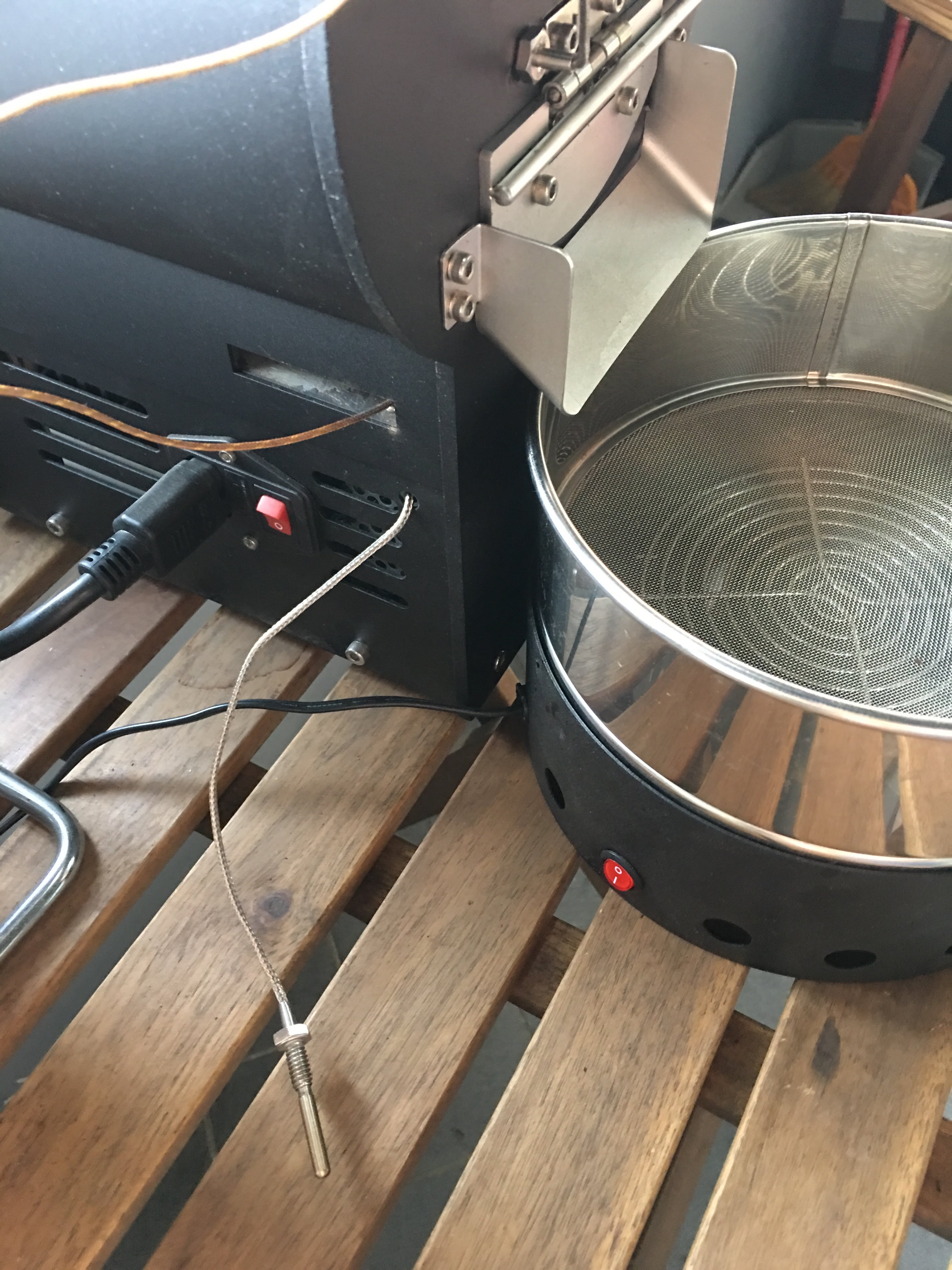
有同好有一樣的困擾 - 如何使用自己的data logging軟體,因此寫了這篇來分享我的簡易改裝。 Background 雲豆子 MERCURY roaster 烘豆機的設計是使用自行開發的軟體,來:1. 操控風門/火力; 2. data logging/自動烘焙。 ...
-
有同好有一樣的困擾 - 如何使用自己的data logging軟體,因此寫了這篇來分享我的簡易改裝。 Background 雲豆子 MERCURY roaster 烘豆機的設計是使用自行開發的軟體,來:1. 操控風門/火力; 2. data logging/自動烘焙。 ...
-
最近這一整個月都在玩大風大火的烘焙。一些心得記錄一下: 2017-09-22 烘豆機: 雲豆子 MERCURY roaster 第1鍋 果丁丁 1 (生豆量:200g,熟豆:171.8g,失重:14.1%) 原本計畫:入豆溫:170 風門一路不變 (MERCURY...
-
 等了非常久的 Mercury 烘豆機 終於到貨了。找了水電來接220V就迫不及待開烘了。 Overall 這是一台CP值非常高的機器,可以說是目前(2017年5月)最接近貴森森營業機種的縮小版。 一應鉅全:有下豆槽,小型化的的風門,銀皮收集桶,跟風管。 ...

